Backup Dwarf3
Publisher Description
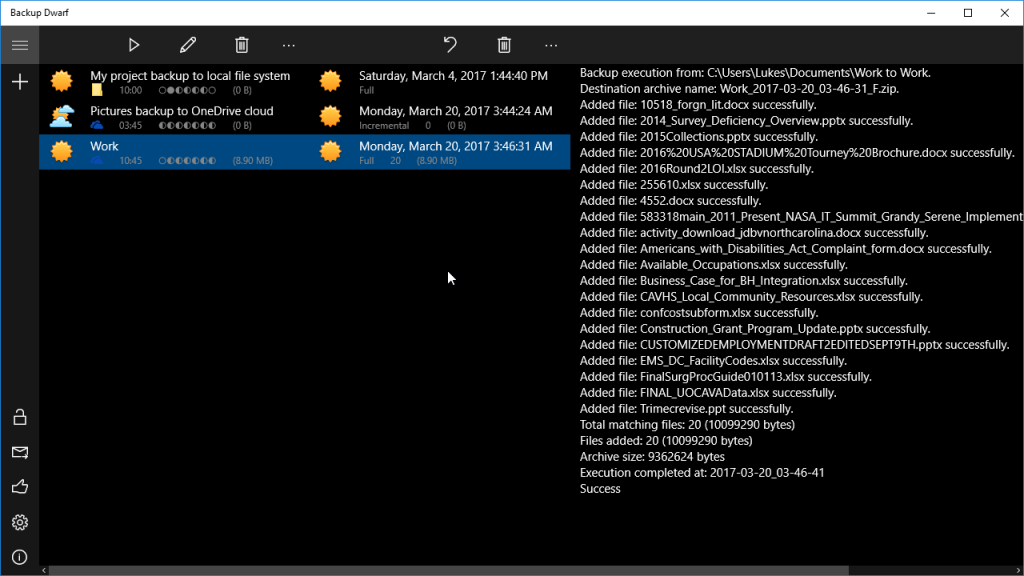
Backup Dwarf is an extremely easy to use backup software that performs locally encrypted (zero knowledge) backup to cloud of your important files, projects, music, mp3, videos, photos and documents. It is intended for home users who want to prevent data loss and for business users who want to assure their files are archived on a regular basis even when using laptop.
You can schedule daily backups with inclusive or exclusive filter options. Backups can be full or incremental and they are stored in standard ZIP archives so they can be opened on any PC even if the original data and system are corrupted.
This backup software supports storing backup files to OneDrive and Google Drive clouds in standard ZIP archives password encrypted with the strongest AES-256 encryption keeping your files secure and safe.
Compression level is adjustable from no compression at all (to speed up the process) to maximum compression (for efficient storage usage).
Extremely easy to use with user friendly user interface. The backup wizard will guide you through the steps of creating a backup job.
All backup operations are performed in the background. Detailed log information is provided so you exactly know if there were any errors during backups.
ReliableBackup (TM) technology provides you with a mechanism that will make all possible attempts to perform backup or to repeat it when conditions are not optimal so you are sure your backups are done.
Backup Dwarf is available from Windows Store https://www.microsoft.com/store/apps/9nblggh52qzd
About Backup Dwarf
This Backup & Restore program is available in English. It was last updated on 29 September, 2026. Backup Dwarf is compatible with the following operating systems: Windows.
The company that develops Backup Dwarf is KRKsoft. The latest version released by its developer is 3. This version was rated by 1 users of our site and has an average rating of 3.0.
The download we have available for Backup Dwarf has a file size of 3.1 MB. Just click the green Download button above to start the downloading process. The program is listed on our website since 2017-03-06 and was downloaded 75 times. We have already checked if the download link is safe, however for your own protection we recommend that you scan the downloaded software with your antivirus. Your antivirus may detect the Backup Dwarf as malware if the download link is broken.
How to install Backup Dwarf on your Windows device:
- Click on the Download button on our website. This will start the download from the website of the developer.
- Once the Backup Dwarf is downloaded click on it to start the setup process (assuming you are on a desktop computer).
- When the installation is finished you should be able to see and run the program.
Program Details
System requirements
Download information
Pricing
Version History
version 3
posted on 2017-03-06
Version 3 - 2017-03-06
New release supporting encrypted backup to OneDrive and Google Drive clouds in standard zip archives with password.
version 2.51
posted on 2015-04-20
Version 2.51 - 2015-04-20
! Fixed reading of FTP archives
version 2.0
posted on 2011-11-01
* Free for non-commercial use!
